How It Works: Plans
Cover the Basics of
End-of-Life Planning
In just a few minutes, help loved ones know exactly what you want in case you die, without the complications and cost of a will.
Plans: The Basics
What Everybody Should Think About Before They Die
It’s really hard to think about your hypothetical death, which is why we built a simple guide that helps you think through the most important questions.
If you only do one thing with this app, do this.
There are three main parts to the Plans section of the app.
The Basics: these are the questions everybody should think about before they die.
Beyond the Basics: these are questions about health, finance, and legal details that can make things much easier for your loved ones if you die.
Pet Plans: if you have pets, this is the place to add details about their health, care, and habits in case somebody else needs to take care of them.
Learn more at How It Works: Plans.
Legacy Contacts are the people you trust to report your death and help honor your wishes in case you die.
All Deathwishes users should add at least one Legacy Contact so their data is not lost if they die.
To add a Legacy Contact in the app:
- Add a person as a Friend
- After they accept, invite them to be a Legacy Contact
Yes. You control who sees your data and when you want it to be visible (before or after you die).
Below are the default privacy permissions. You can toggle these in your settings at any time.
| Permissions | Friends | Legacy Contacts |
|---|---|---|
| See Your Profile | Yes | Yes |
| See Your Plans | No | Yes |
| See Your Things | No | Yes |
| See Your Bucket List | No | Yes |
| Report Your Death | No | Yes |
Plans: Beyond the Basics
Make Your Health, Financial and Legal Stuff Easy to Find
Deathwishes doesn’t store any of your sensitive documents––instead, it helps you leave instructions for people to find them if they need to.
Only a person you have assigned as a Legacy Contact can report your death and memorialize your profile.
To do so, they visit the Family and Friends screen, tap the three dots by your profile, and tap Memorialize to access the next steps.
If you share your wishes while alive, then others will already have access to them if you die, making it easier to help honor them right away.
If you keep your wishes private until death, then they cannot be accessed until a Legacy Contact reports your death, and the Deathwishes team memorializes your profile.
A profile is memorialized only after the death of a person has been confirmed by the Deathwishes team via phone call with a Legacy Contact.
Once memorialized, a date of death will be added to the profile and it will be completely locked from any changes.
Optionally, a Legacy Contact may request to have an exported copy of the person’s Deathwishes data.
Plans: Pet Plans
Leave Detailed Care Instructions, Unique to Each Pet
Create customized pet plans so others can give them the care they need if you are suddenly gone. You can even indicate specific people you prefer.
Pet plans can consist of any specific details that are meaningful to providing the best care possible for your pet. You can see the default information collected in a pet plan below.
Pet details: name, nickname(s), photo(s), breed(s), birth year
Veterinary information: name and contact, allergies, medications, pet insurance, vaccinations
Care information: who should care for them, daily pet routines, food preferences, favorite toys and activities, behavior traits, personality, grooming needs, sleep habits, socializing preferences
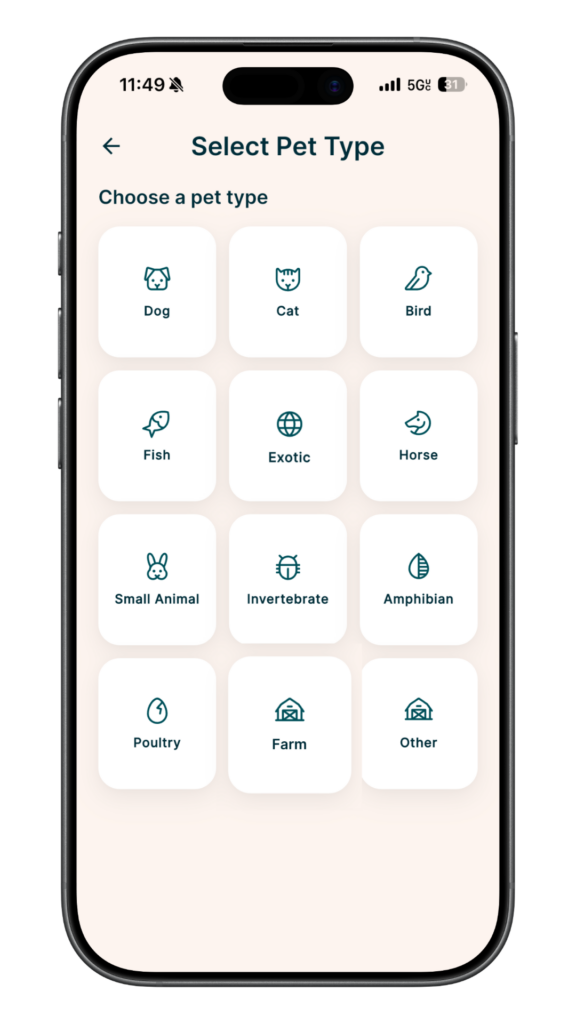
You can make plans for any type of pet, but we have some of the most popular built into the app, including: dogs, cats, reptiles, fish, and horses. You can also choose the “other” option if your pet type is not included.
You can make unlimited pet plans as part of all Deathwishes subscriptions.
CONTACT US
HAVE A SPECIFIC QUESTION?
If you have a question or want to know something not included in the Help Center, please visit the contact page.